Ensightful • Product Design 2022
Helping instructors create well-balanced teams to ensure effective collaboration
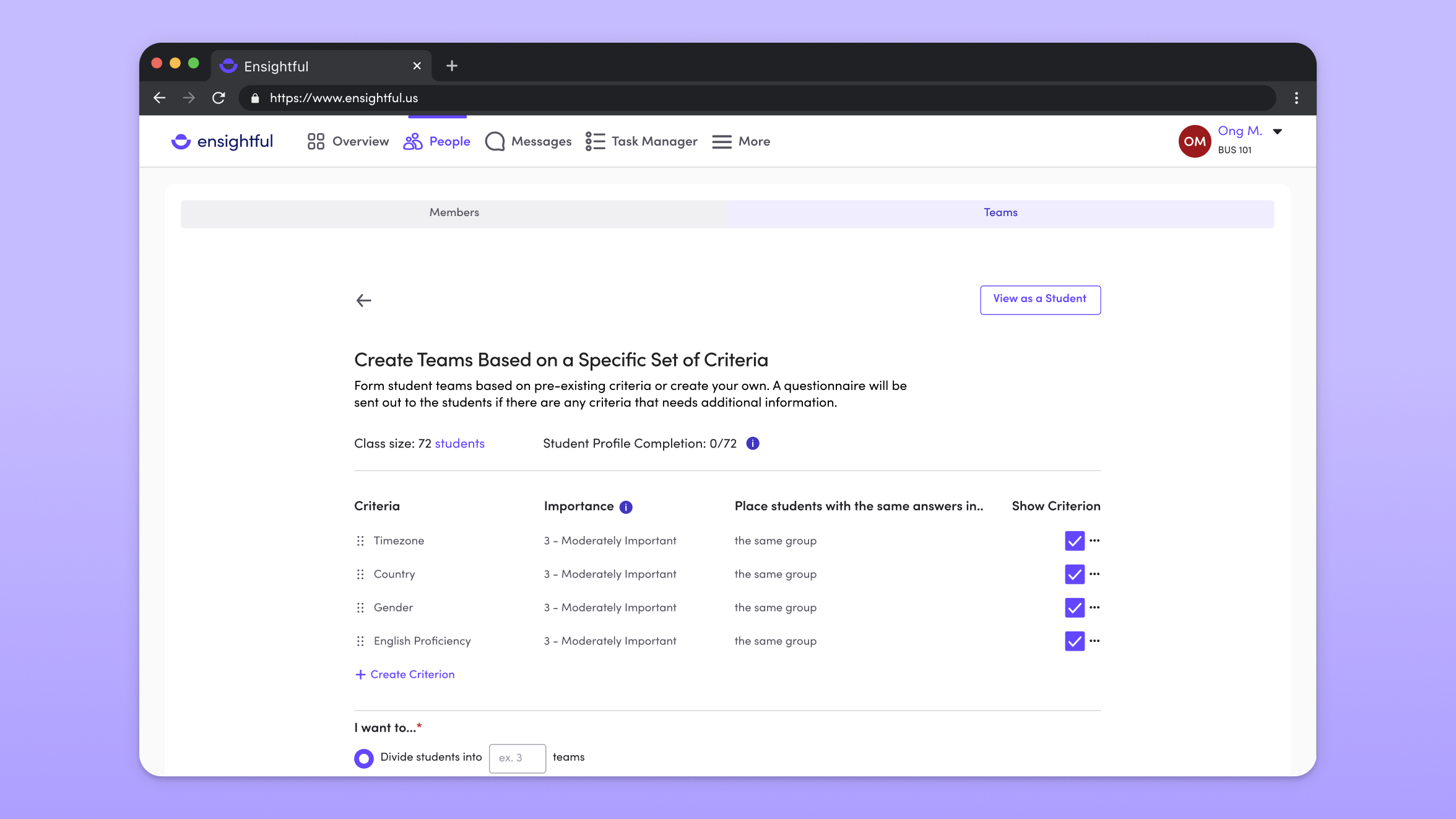
Ensightful is a project management tool built for students to plan, track, and manage their group projects. In conjunction, it is a team management tool for instructors to gain insights to team progress and dynamics, highlighting areas that require instructional intervention. It aims to create a positive learning experience for learners in group projects.
Team formation was designed to facilitate collaborative learning and enhance the overall educational experience of students. As the only product designer on the team, I was tasked to design the next version, where I led customer interviews, created mockups, and worked closely with the development team to ensure smooth design handoff.
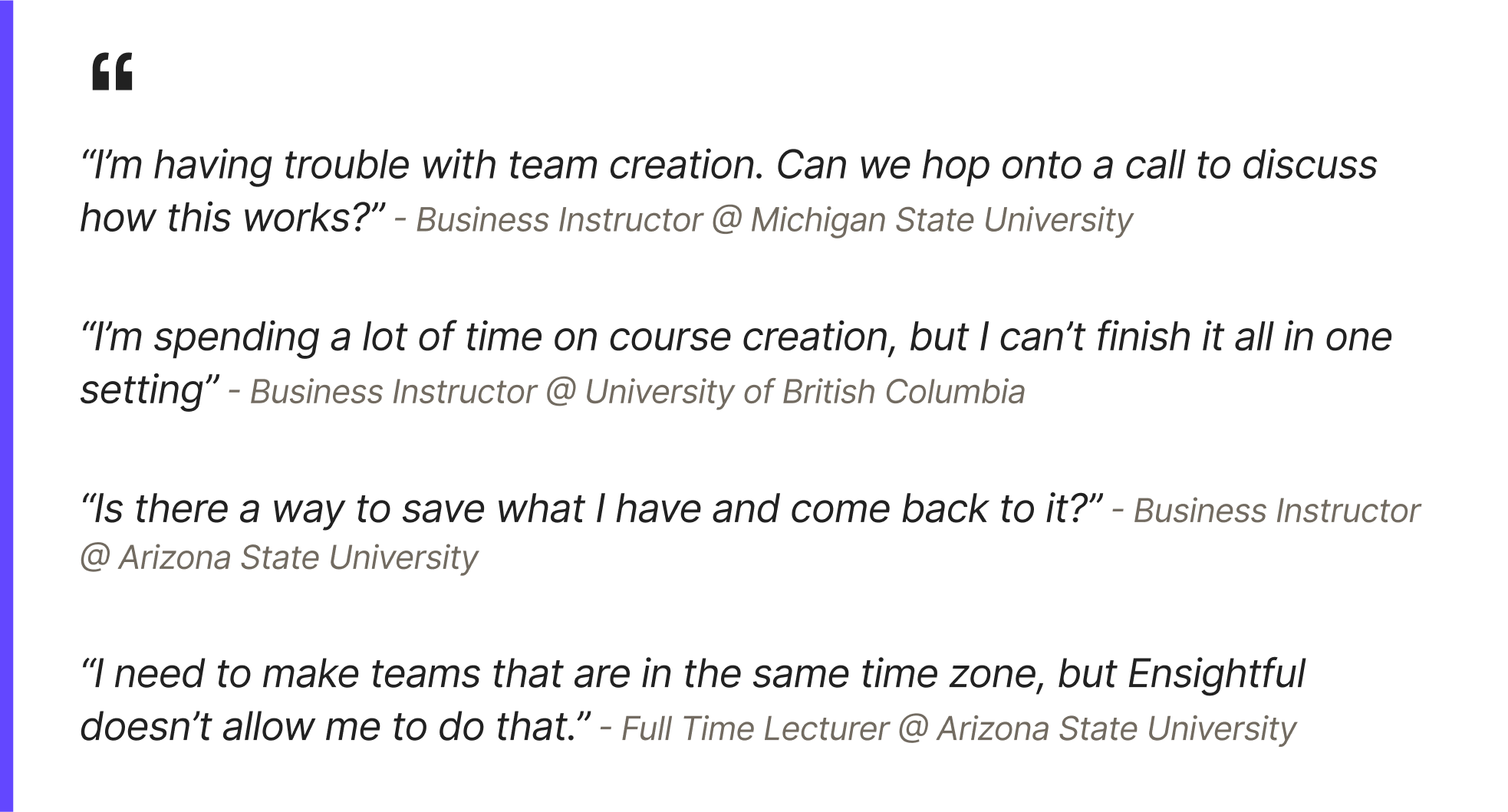
We noticed existing instructors were having trouble creating teams within a reasonable time due to complex and long starting points. They were also having trouble making teams that they were satisfied with due to limited options offered to create teams.
Feedback received by colleagues suggested potential solutions such as a save draft option to address the problems that the instructors face. However, to better understand the problems that generated these product suggestions, I reached out to 4+ instructors and conducted informal interviews. These were my biggest takeaways:
01
Instructors would create teams during the course set-up process, but they often abandoned or forgot where they were because team formation added a layer of complexity to the course set-up process.
02
Instructors experience frustration of having to create a new course whenever they start a new project with a different team.
03
With changes in where and how students are taking classes due to Covid-19, it takes instructors hours to sort and assign students from the same time zone into the same teams.
To understand where these problems were occurring, I constructed a user flow summarizing the current process instructors go through when setting up their course on Ensightful. In the current flow, teams were formed in the course creation process, along with filling in the course and project details, inviting members, and paying.
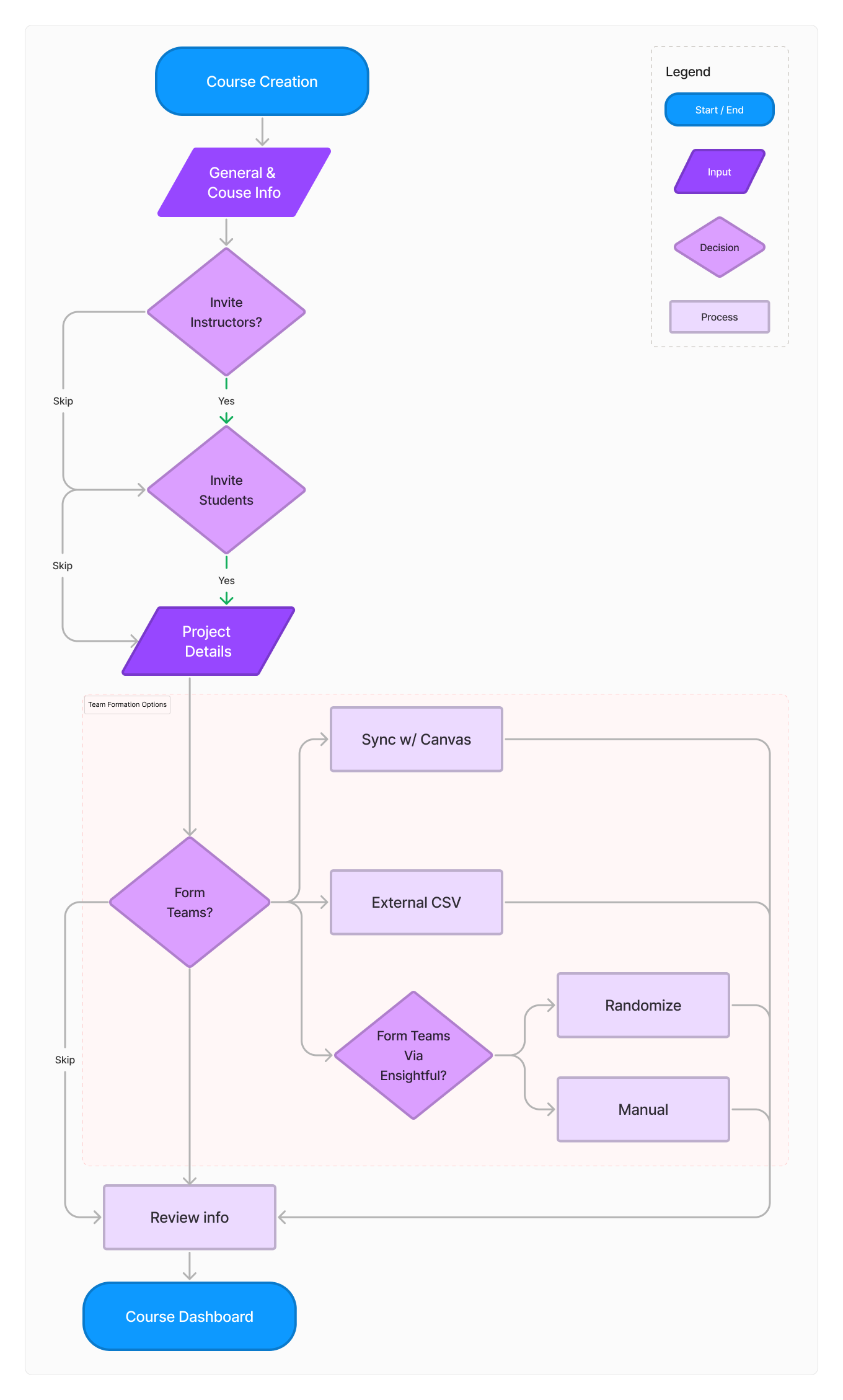
How might we make team formation more intuitive and user-friendly while allowing instructors to create teams that they are satisfied with?
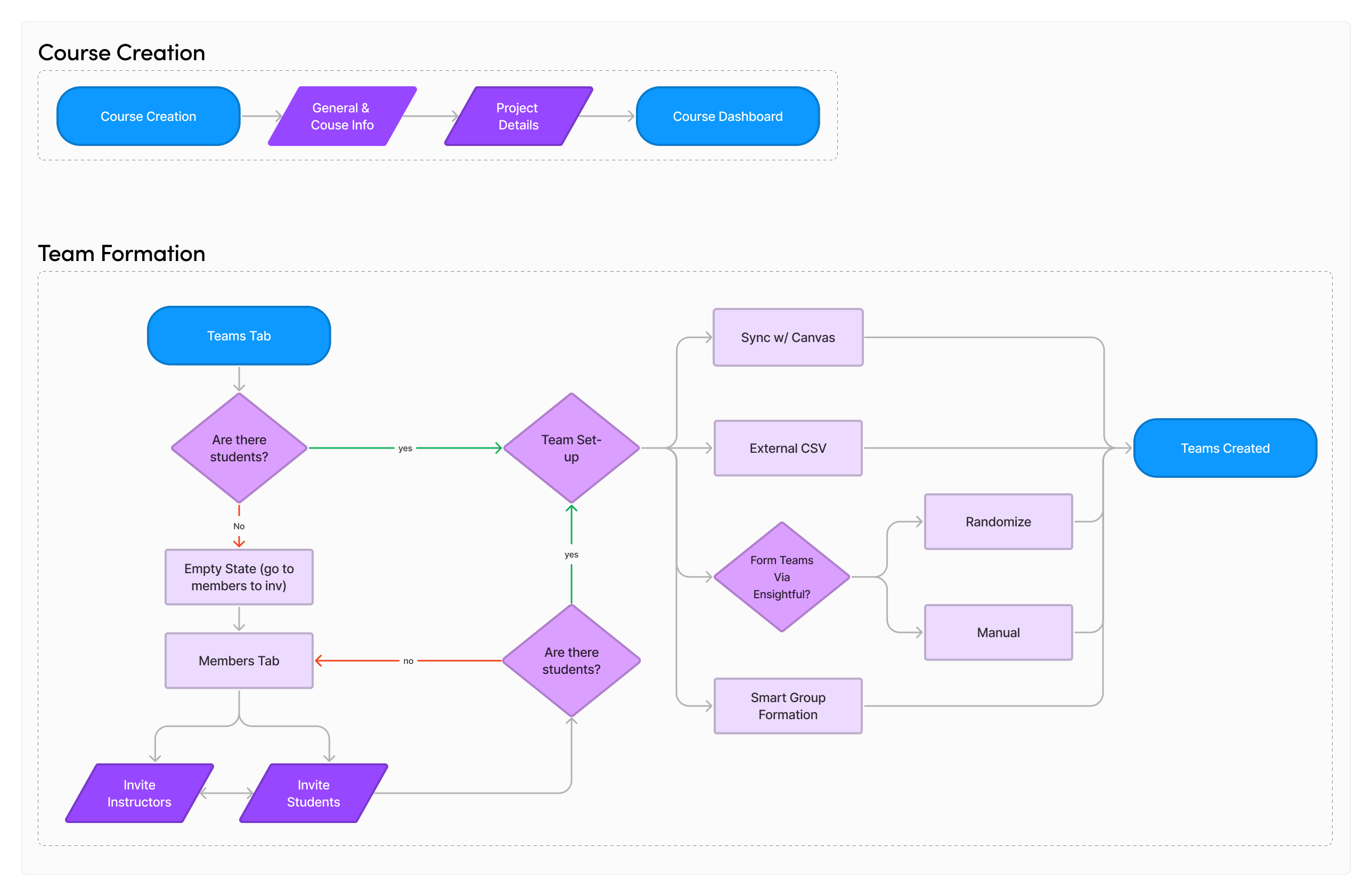
Taking my learnings from the interviews, I re-constructed the user flow to separate course set-up and team formation so it becomes clear what the action is for each flow.
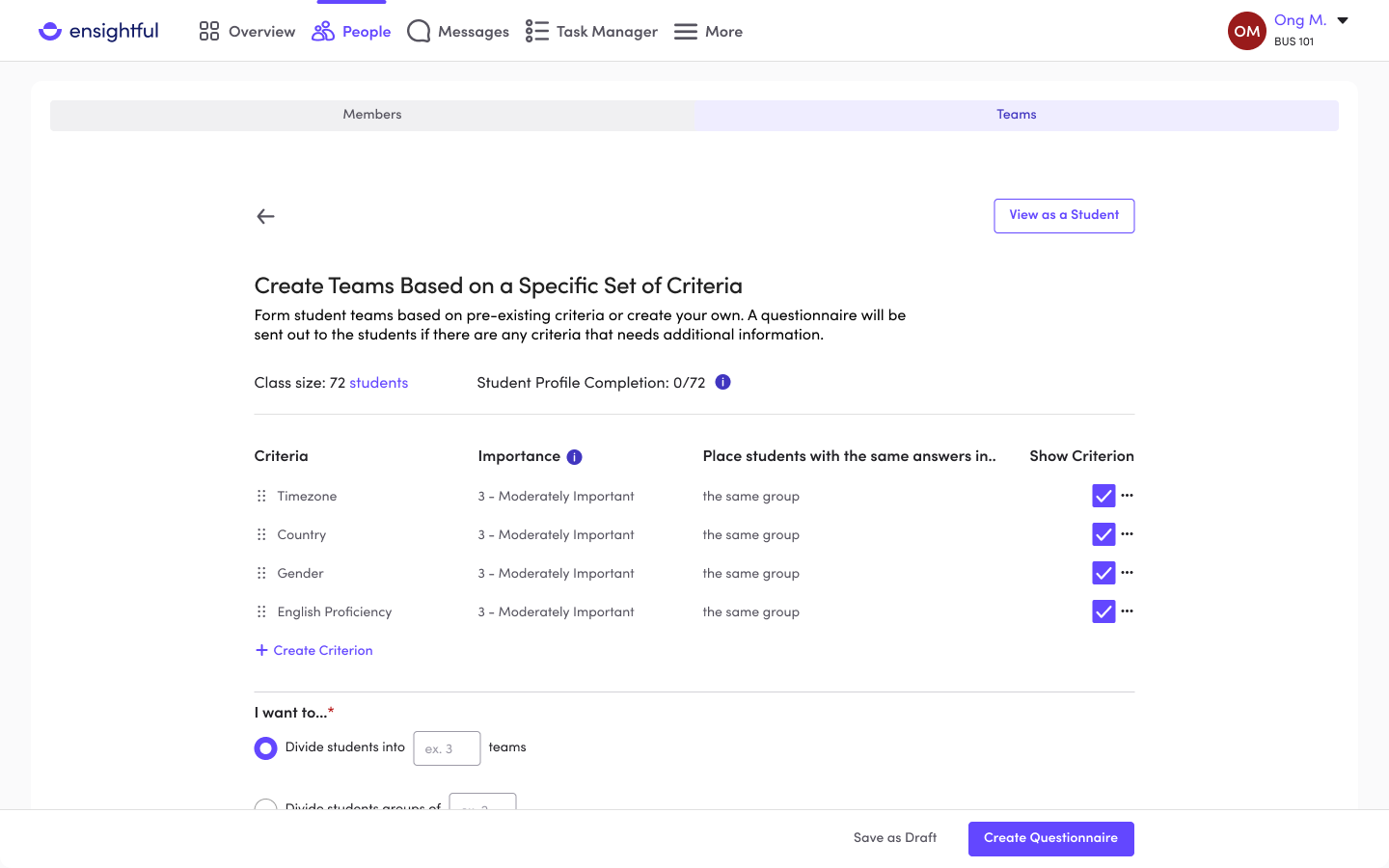
Ensightful offers various ways to form teams such as uploading a CSV or manually creating teams on Ensightful. However, the shift in lecture delivery brought about by the pandemic prompted a re-evaluation of team formation methods. This was essential to accommodate students located in various time zones. Through feedback from pilot and user testing, I designed criteria based team formation to give instructors greater flexibility to construct teams that align with their goals. With this method, instructors define attributes that students should possess to join a specific team. This information is then sent out as a questionnaire for students to fill out. Upon completion, Ensightful automatically generates groups that fulfill the criteria established by the instructor.
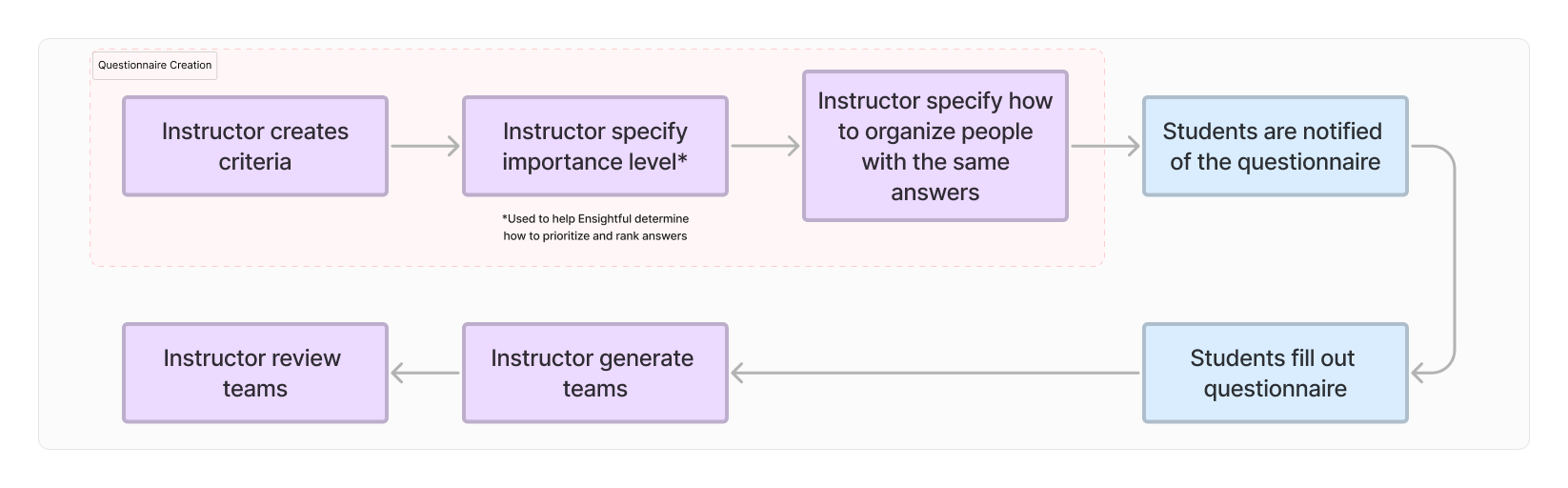
I synthesized the steps instructors go through with criteria based team formation and summarized it into a consolidated user flow:
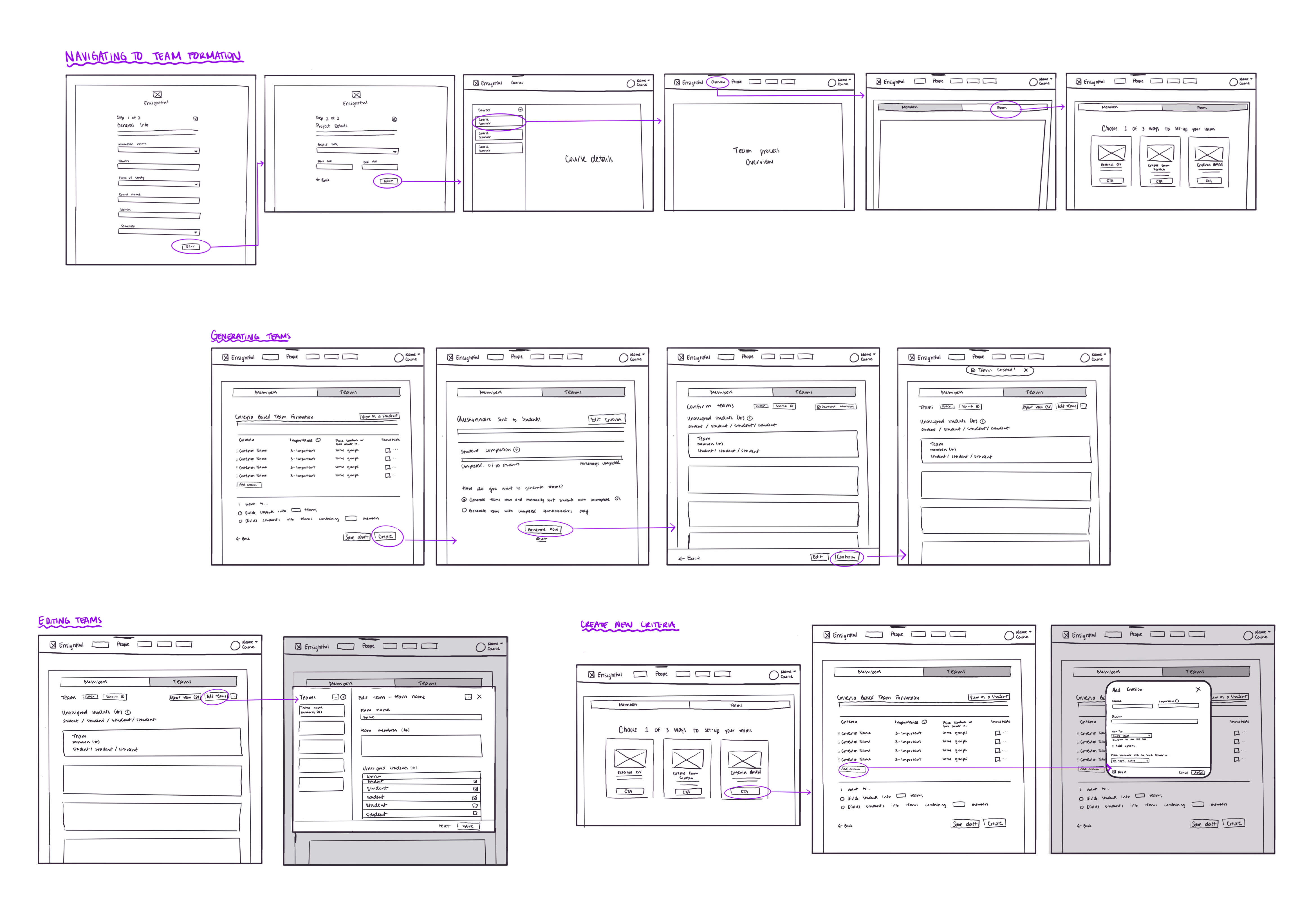
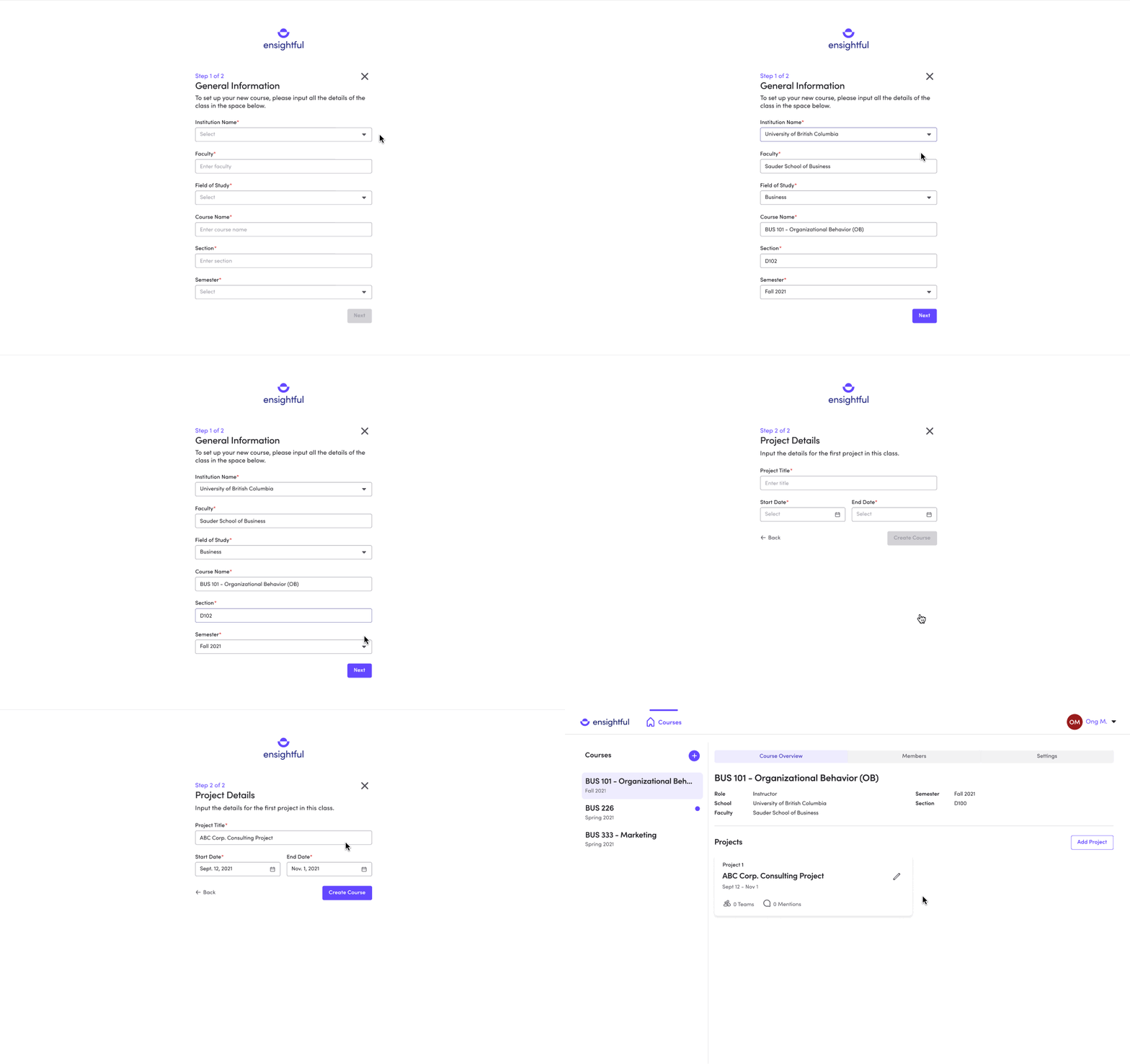
Including team formation in the course creation process implied that all projects in the course will use the same teams. Our research surfaced that not all teams will stay the same throughout the course, so I intentionally designed team formation to be accessible to the instructor after they click into a project. This gives instructors the flexibility and control over the teams for each specific project. In addition, by removing team formation and inviting members from the course setup, instructors are able to focus on the job — setting up the course.
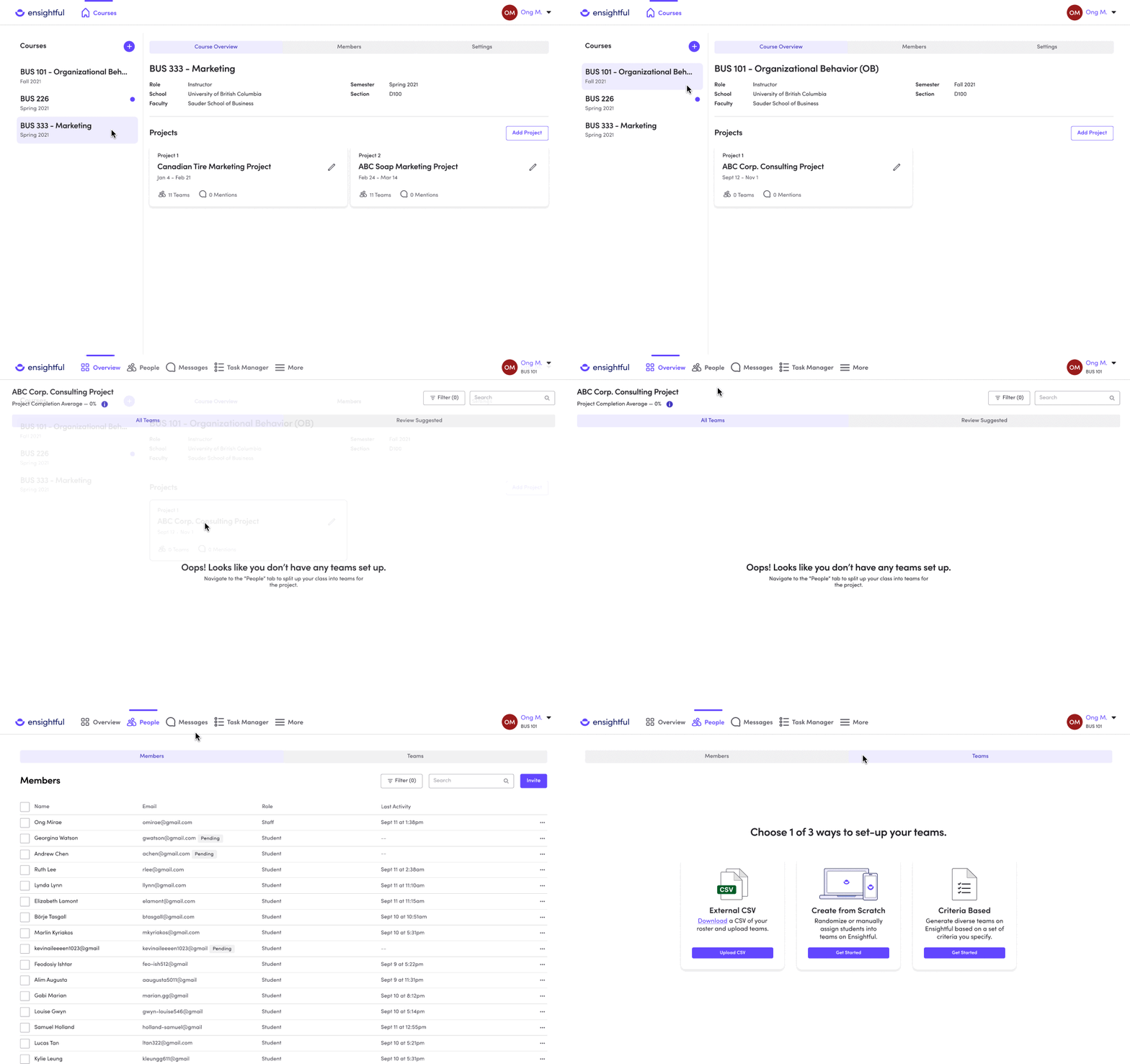
By specifying the type of requirements, instructors can strategically create teams based on characteristics such as individual skills, expertise, demographic, or even experience. This allows instructors to create teams that are well-balanced and equipped to handle the requirements of a project.
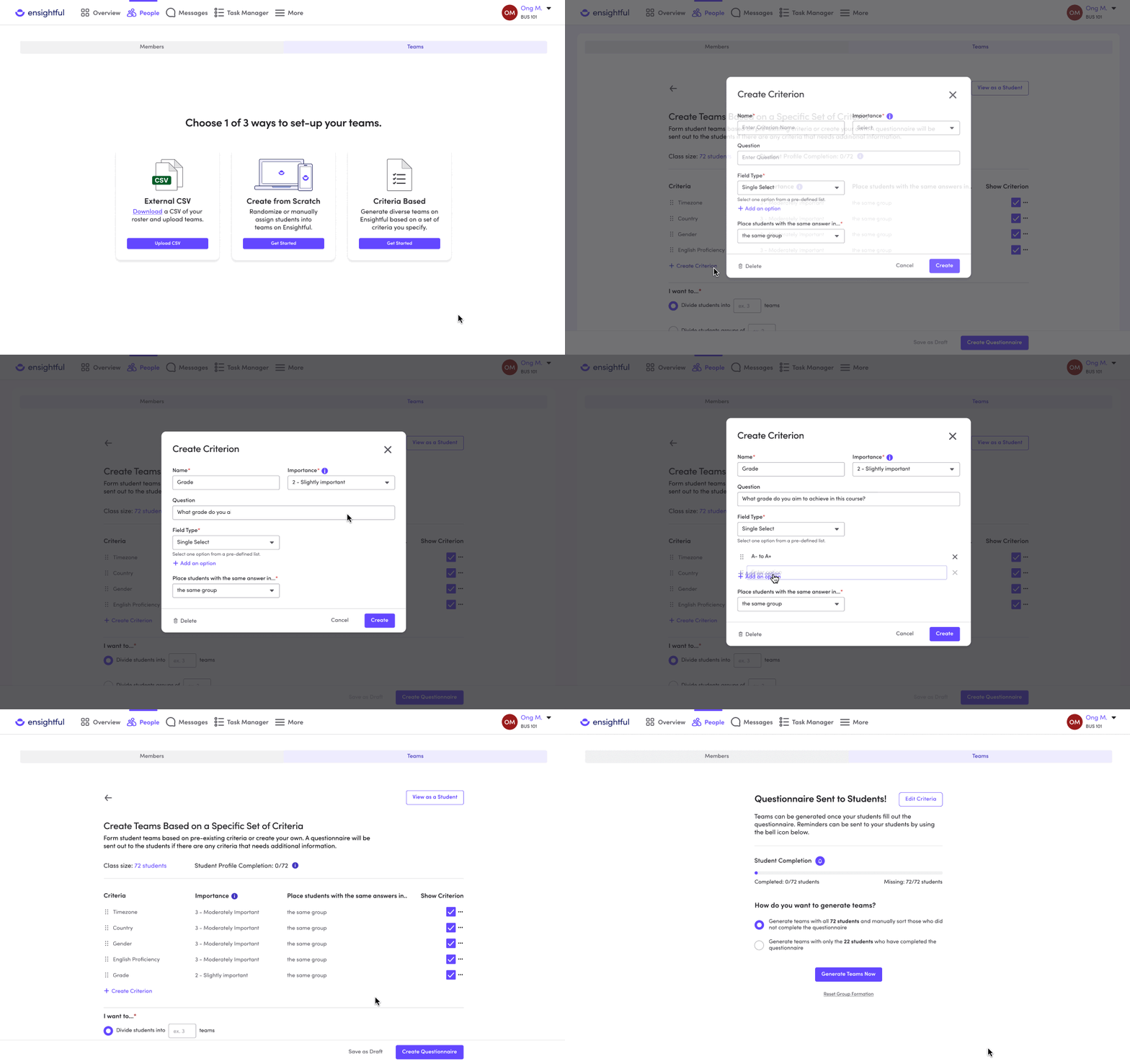
The requirements set by the instructors are sent out as a course questionnaire to students to fill out. However, some students may forget or miss the deadline to fill out the questionnaire, even with reminders. In such cases, instructors have the option to generate teams and sort the missing students into groups later.
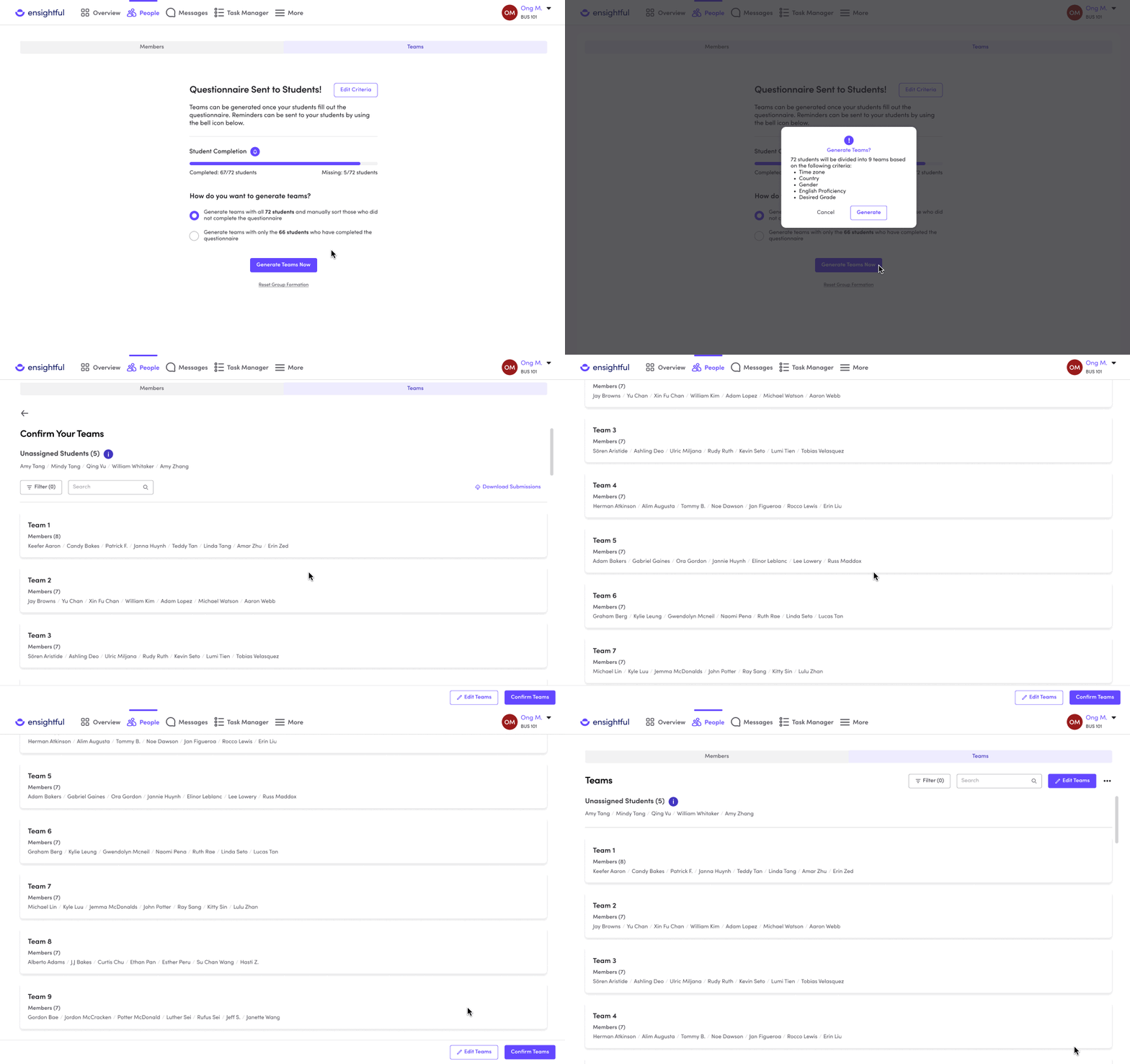
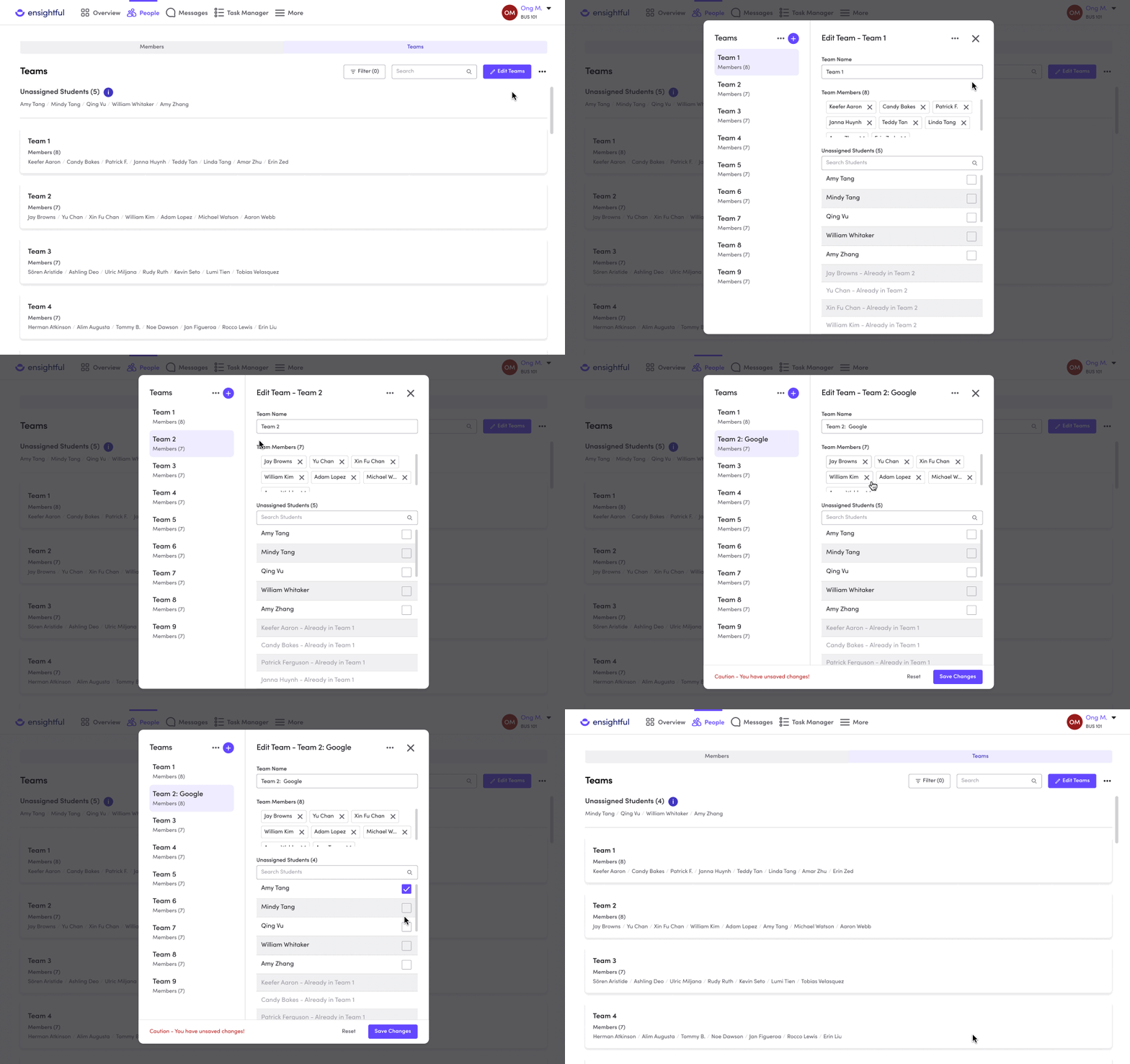
Team formation was one of the three features I re-designed/designed to close the project lifecycle gap in order to reduce the number of tools used throughout a course. This feature, along with the other two features increased pilot adoption by 760% by January 2023. Ensightful also became a widely used tool in University British Columbia’s COMM 101 undergraduate course.
While working on this redesign, I experienced a huge growth in my confidence in speaking up, leading a change in the design direction, and defending my design decisions. I realized that design briefs serve as valuable references, and although suggestions may be given, conducting my own research is crucial to understanding the design problem. Doing so will present opportunities to create a better design solution. Looking back at this redesign, there’s a few things that I’d like to add. For example, I would like to continue to explore ways to build trust with the instructor. An idea that comes to mind is increasing transparency on how the teams are formed and why they’re the most optimal. I believe that doing so would increase the usage of team formation.


